

The Quick Answer
Shopify is better for most store owners who want to launch quickly, avoid technical maintenance and get 24/7 support. WooCommerce is better for brands that already use WordPress, rely on content marketing or need full control over code and data, as long as someone can handle hosting, updates and security.
If you want to launch fast, avoid technical upkeep and have support on call when something breaks, Shopify is usually the better fit. It handles hosting, security and updates for you, so you can focus on selling.
If you already run a WordPress site, rely heavily on content marketing, or want full ownership of your code and data, WooCommerce gives you more freedom. You just need to be comfortable managing more of the technical side yourself, or have someone who can.
How WooCommerce and Shopify Actually Work
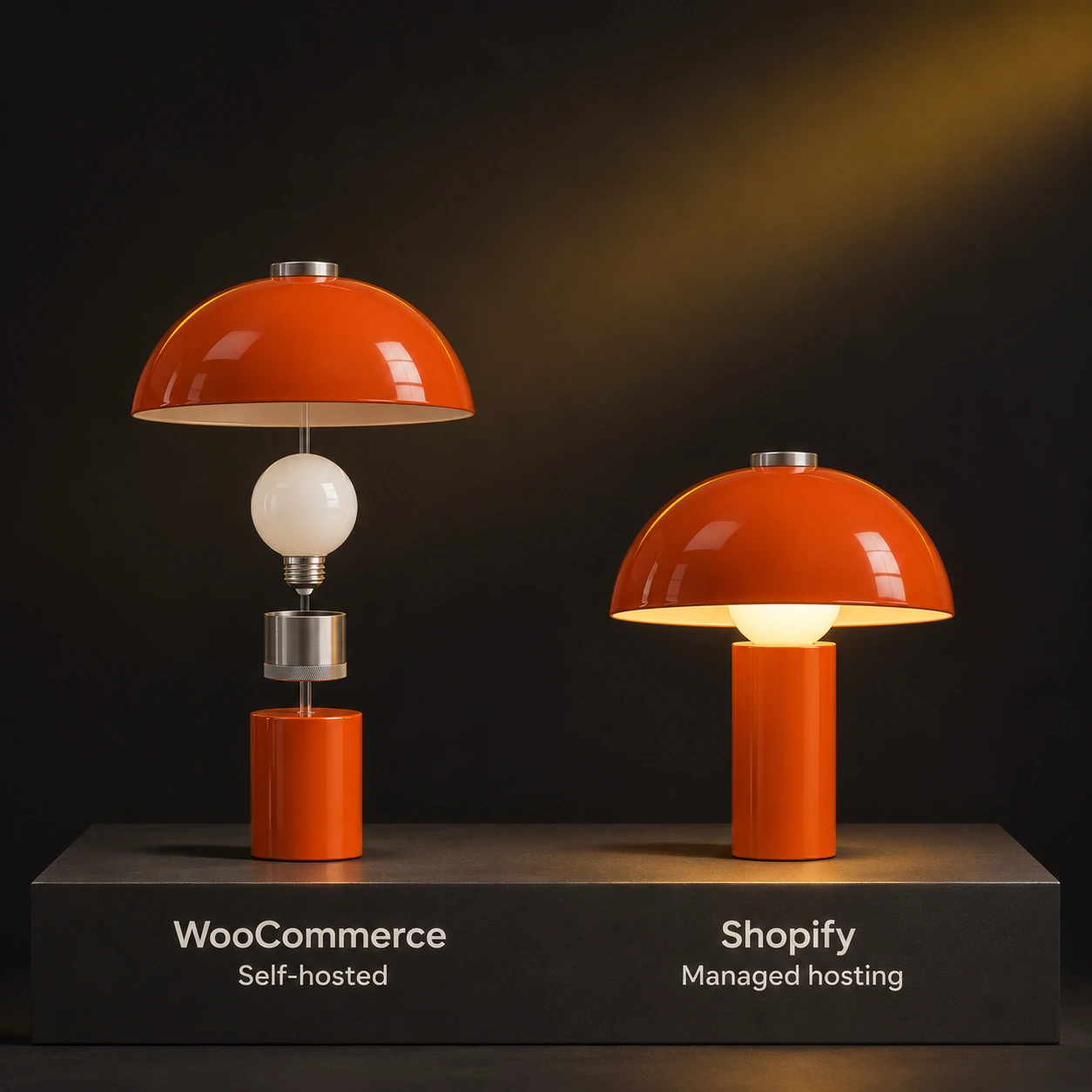
Shopify is a hosted ecommerce platform. You pay a monthly subscription, and Shopify takes care of the servers, security certificates, software updates and checkout. You log into one dashboard and everything lives there.
WooCommerce is a free, open-source plugin that turns a WordPress website into an online store. The plugin costs nothing, but you need your own hosting, domain and security setup, and you're responsible for keeping WordPress, the theme and every plugin up to date.
That single difference, rented convenience versus owned flexibility, explains almost every other point in this comparison.
Is WooCommerce Cheaper Than Shopify?
Shopify's pricing is easy to understand on day one. You pick a plan, add a theme and a few apps, and you know roughly what you'll pay each month. The catch is that apps add up, and many of the features stores need, like reviews, subscriptions or advanced filters, come from paid apps billed every month.
WooCommerce looks cheaper because the plugin is free. In practice you'll pay for hosting, a premium theme, paid extensions for things like subscriptions or bookings, and someone's time to handle updates and fixes. A small store can run on a modest budget. A busy one needs better hosting and regular developer support, and the costs grow with it.
The fairest way to compare is to add up everything you'd spend in the first year, including your own time. For a detailed breakdown of plans, apps and build costs on the Shopify side, see our guide on how much a Shopify store costs to build.
Which One Is Easier To Run Day to Day?
Shopify wins on ease of use for most people. Adding products, managing orders, setting up shipping zones and running discount codes all happen in a clean admin that a non-technical team can learn in an afternoon. When something goes wrong, Shopify's support team is available around the clock.
WooCommerce has a steeper learning curve. The WordPress dashboard is familiar to many people, but running a store adds layers: plugin settings, theme options, hosting panels and the occasional conflict when two plugins don't get along. There's no single support desk either. Help comes from your host, plugin developers, community forums or your own developer.
If nobody on your team enjoys troubleshooting, that difference matters more than any feature list.
Which Platform Gives You More Design Freedom?
Both platforms let you build a beautiful store. The difference is in how far you can push it.
Shopify works within a structured system. Themes are well built and fast to set up, and its Liquid templating language lets a developer change almost anything about the storefront. Some things, like the core checkout flow and certain URL patterns, are deliberately locked down to keep stores secure and consistent. For most brands that's a fair trade, and a team offering professional Shopify development services can build a fully custom theme that looks nothing like a template.
WooCommerce gives you full access to the code. If you can imagine it, a developer can build it, from unusual product configurators to custom membership rules. That freedom is why content-heavy brands and stores with complex requirements often lean towards it, usually with help from an experienced WordPress development team that knows how to keep a heavily customized site stable and fast.
Does Shopify or WooCommerce Charge Transaction Fees?
Shopify has its own payment system, Shopify Payments, and it works smoothly when it's available. If you use a third-party gateway instead, Shopify adds its own transaction fee on top of what the gateway charges, and that fee is lower on higher plans. Shopify Payments isn't offered in every country, so stores in some markets have no choice but to use an outside gateway and budget for that extra fee.
WooCommerce doesn't charge a platform fee on your sales at all. You only pay your payment processor, whether that's Stripe, PayPal or a local gateway connected through a plugin. For stores with high order volumes, that difference alone can add up to a meaningful amount each year.
Is WooCommerce or Shopify Better For SEO?
Both platforms can rank well on Google. They just get there differently.
Shopify takes care of the technical basics for you, including SSL, sitemaps and canonical tags, so new stores start on a solid footing. Its limitations are small but real: product and collection URLs always include fixed folders like /products/ and /collections/, and the built-in blog is fairly basic. With the right theme setup and a clear Shopify SEO strategy, though, Shopify stores compete strongly in search.
WooCommerce sits on top of WordPress, a platform that was built for publishing and still handles blogs and articles better than most. You get full control over URLs, powerful SEO plugins like Yoast or Rank Math, and a blogging setup built for publishing guides and articles at scale. If content is your main growth channel, that's a real advantage.
How Each Platform Handles Speed and Security as You Grow
Because Shopify hosts every store on its own global network, a sudden flood of Black Friday visitors won't knock your site offline or slow it to a crawl. It's also PCI DSS compliant out of the box, so card payments are secured to industry standards. Your store's speed still depends on your theme and how many apps you install, but the foundation is consistent.
On WooCommerce, speed depends on the choices you make. Quality hosting and caching can make a store feel instant, while bargain hosting and a long plugin list can make it drag. Security works the same way: updates, backups, firewalls and malware scans are your responsibility, or your developer's. As traffic grows, you'll need to upgrade hosting and fine-tune the setup to keep up.
WooCommerce Vs Shopify At A Glance
| Factor | Shopify | WooCommerce |
|---|---|---|
| Setup | Hosted, ready in a day | Needs hosting, WordPress and setup |
| Monthly cost | Plan fee plus paid apps | Hosting, extensions and maintenance |
| Transaction fees | Extra fee unless you use Shopify Payments | None from the platform |
| Ease of use | Very beginner friendly | Moderate, more technical |
| Customization | High within a structured system | Almost unlimited with code access |
| SEO and blogging | Strong basics, simpler blog | Full URL control, best-in-class blogging |
| Security and updates | Handled by Shopify | Your responsibility |
| Support | 24/7 Shopify support | Host, plugin developers and community |
| Best for | Brands that want to focus on selling | Content-led brands and complex custom builds |
So Which Platform Should You Choose?
Choose Shopify if you're launching your first serious store, don't have a developer on your team, and want to spend your time on products and marketing instead of servers and plugin updates. It's also the safer pick if you expect sudden traffic spikes from ads, influencers or seasonal sales.
Choose WooCommerce if you already have a WordPress site with traffic you don't want to lose, publish a lot of content, need very specific custom features, or want complete ownership of your store and its data. Go in knowing that ongoing maintenance is part of the deal.
Still unsure? Write down your top five must-have features, your budget for the first year and who will manage the store day to day. The answers usually point clearly to one side. If they don't, talking it through with a team that builds on both platforms can save you from an expensive wrong turn. A good website development partner will recommend the platform that fits your business, not just the one they prefer to build on.
What If You Pick The Wrong One?
It happens, and it's fixable. Plenty of stores start on WooCommerce and move to Shopify once maintenance starts eating into their time, while others go the other way when they outgrow Shopify's structure.
The key is planning the move properly. Products, customers, order history and, most importantly, your URLs and redirects all need to come across cleanly so you don't lose the search rankings you've built. A careful Shopify migration keeps all of that intact and lets you switch with minimal disruption to sales.
Frequently Asked Questions
Is Shopify better than WooCommerce for beginners?
For most beginners, yes. Shopify's setup is faster, the admin is simpler, and hosting, security and updates are handled for you, so there's far less to learn before you start selling.
Is WooCommerce really free?
WooCommerce is free to install, though the store you build with it has real running costs. You'll pay for hosting, a domain, usually a premium theme and some paid extensions, plus maintenance time or developer support.
Which platform is better for SEO?
Both can rank well. WooCommerce offers more control over URLs and stronger blogging tools, while Shopify covers the technical basics automatically. Your content, site speed and overall strategy matter more than the platform itself.
Can I move from WooCommerce to Shopify later?
Yes. Products, customers and orders can be migrated, and with proper 301 redirects you can keep most of your existing search traffic.
Can WooCommerce handle a large store?
Yes, with the right setup. Large WooCommerce stores need quality hosting, caching and regular database and plugin maintenance to stay fast under heavy traffic.
Do I need a developer to use Shopify?
Not to get started. You can launch a store with a ready-made theme on your own, but a developer helps when you want a custom design, special features or integrations with other business tools.
Build On The Right Foundation
The right choice fits your day-to-day operations today and won't hold you back as the store grows over the next few years. Get that choice right, and every design decision, marketing campaign and new product launch after it becomes a lot easier.
If you'd like expert help choosing, building or moving your store, Bee Creative's ecommerce development team works with brands on both platforms and can help you plan a store that's built to grow.